
How it works
From booking to production-ready
A clear path from booking to a completed closed test — for you and for every tester in the panel.
The full walkthrough
Every step, in detail
Exactly what happens between booking and your completion report.
1
Book your test cycle
- Tell us your app's package name(s), Play Console link, and your preferred start date via the Get Started form.
- We confirm panel availability and your start date within one business day.
2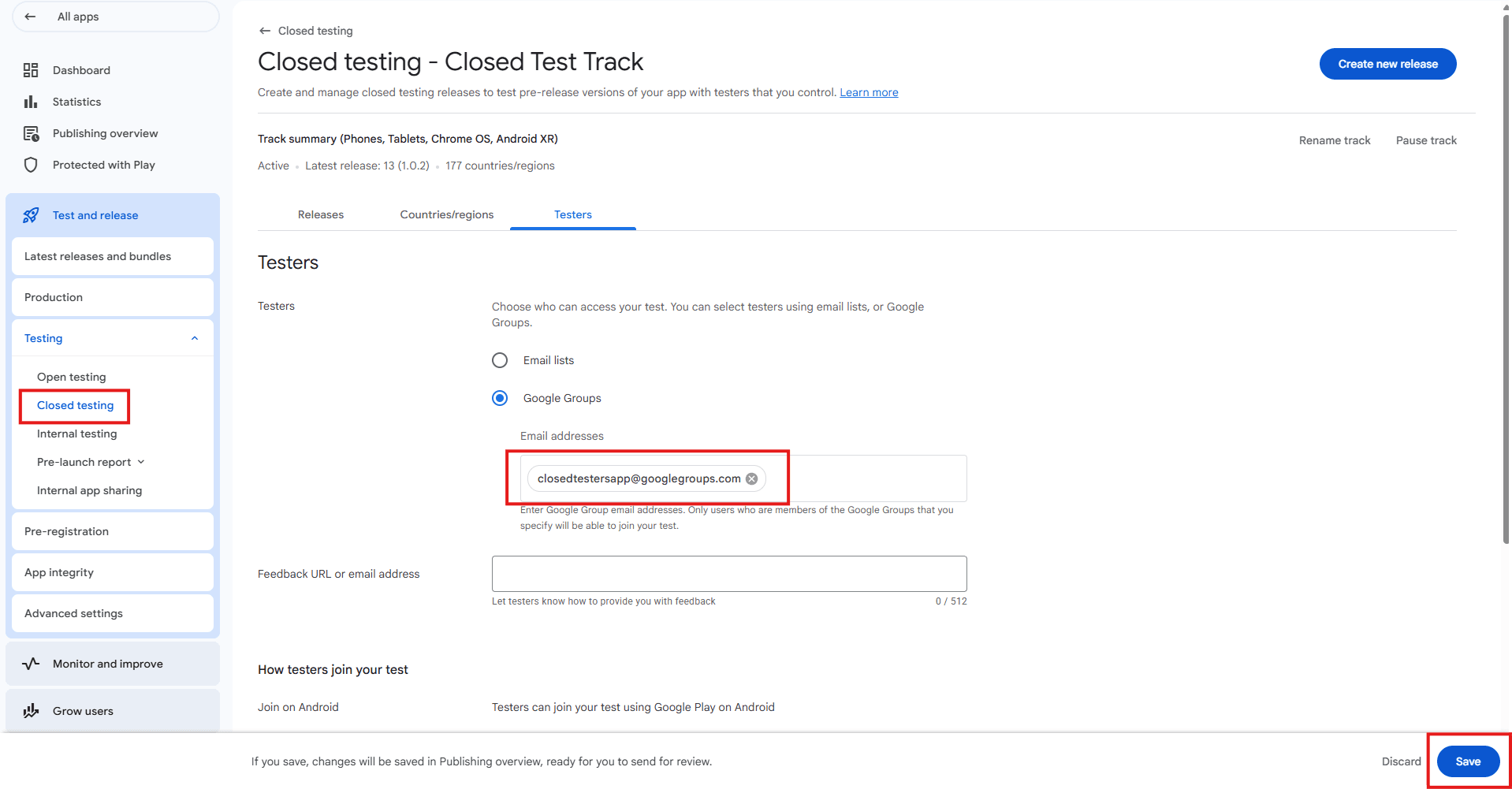
Add our group to your closed test track
- For every app you want published, open that app in Play Console and go to Testing → Closed testing, then create (or open) a track.
- Under Testers, select "Google Groups" and add closedtestersapp@googlegroups.com as shown below.
- Save your changes, then publish a release to that track so testers have a build to install. Repeat for each additional app in the same booking.
3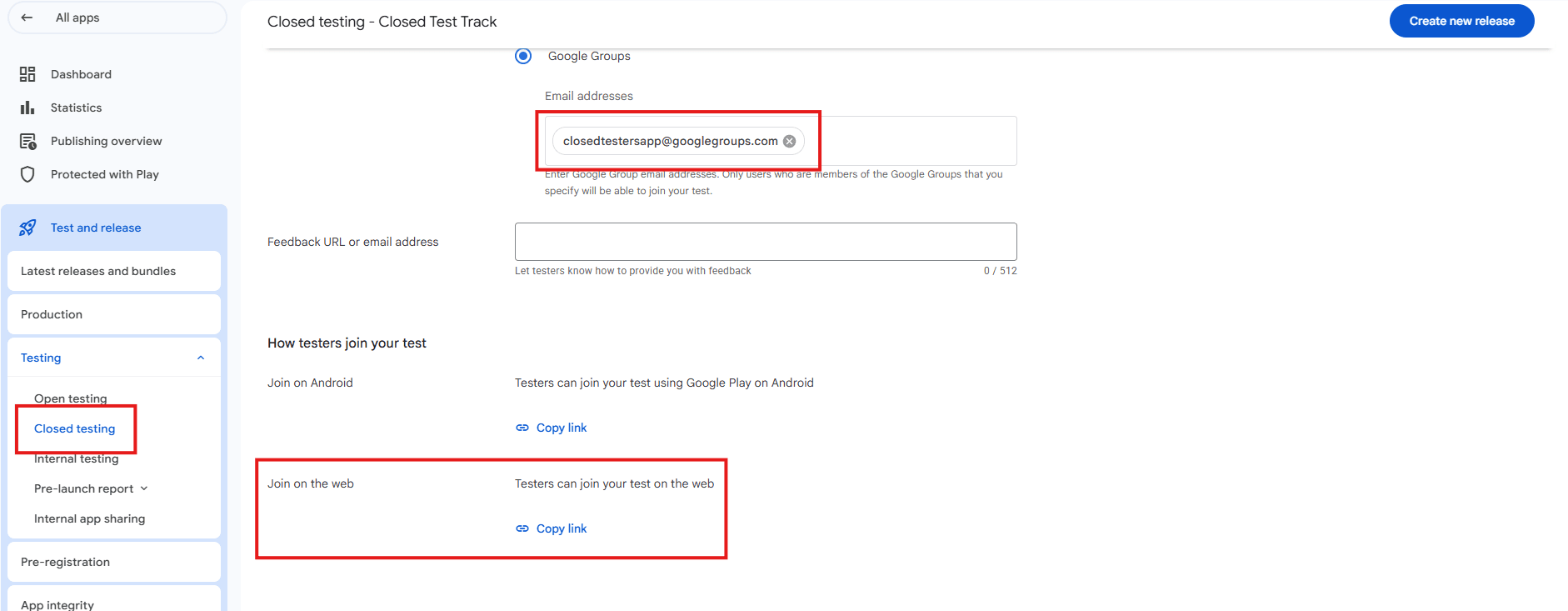
Share your opt-in link with us
- Scroll down on the same Testers tab to "How testers join your test."
- Under "Join on the web," click "Copy link" — that's the link to send us, not the "Join on Android" one.
- Paste it into the form we send you after booking. This is the exact link our panel uses to join your test.
4
Our panel opts in and installs
- 15–20 testers accept the invite, opt in through the Play Store, and install your app on their own devices.
- Each tester opens the app to begin the active usage window Google requires.
5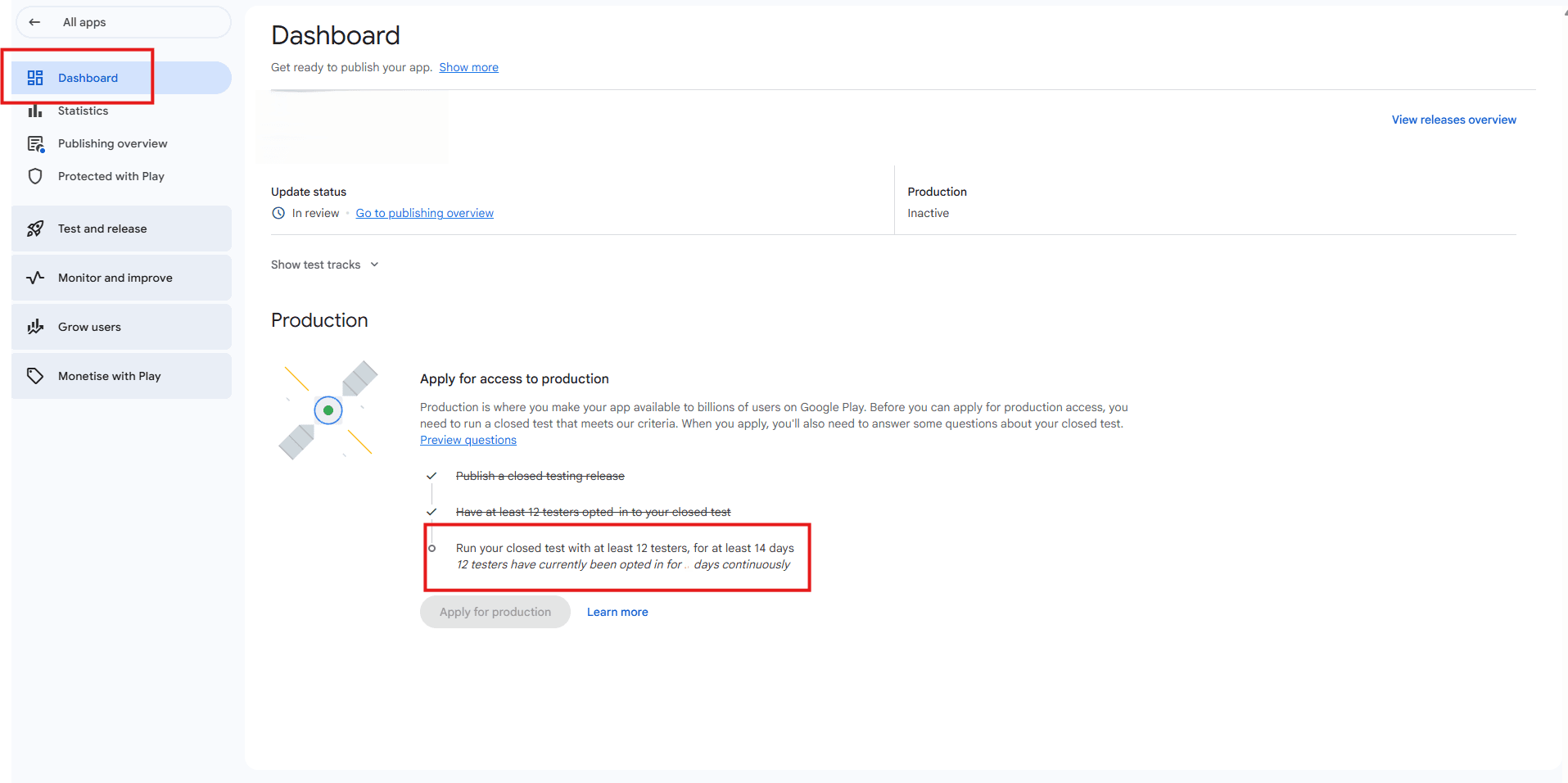
Confirm testers have opted in
- Give it about 24 hours, then open your app's Dashboard in Play Console.
- Under "Apply for access to production," "Have at least 12 testers opted in to your closed test" should now be checked off — that's your confirmation the panel is active.
- The line below it, "Run your closed test with at least 12 testers, for at least 14 days," shows how many continuous days you've banked so far. "Apply for production" stays disabled until that counter reaches 14.
6
Continuous usage across the window
- Testers keep the app installed and open it periodically across the required continuous period so the opt-in stays active.
- We track completion day by day and flag anything that needs your attention (e.g. a crash blocking testers from continuing).
7
Confirmation & next steps
- Once the window is complete, we send you a confirmation summary showing opt-in dates and completion status.
- You can then apply for production access in Play Console. Google's review considers other factors too (policy compliance, content rating, app content) — we'll flag anything obvious we notice, but final approval is Google's call.